Menu
Cart 0$0.00
    Vitality Nutritions
    Catalog
      Search
      • About Us
        • About Us
        • Privacy Policy
        • Reviews
        • Terms & Conditions
      • Store reviews
      • Contact
      • Help
        • Delivery Information
        • Return
        • Voucher
      Vitality Nutritions
      Cart 0$0.00
      Cart
      Your shopping cart is empty!
      Catalog Search Cart Cart 0$0.00 Compare Favorites Sign In
      Authorization
      Forgot your password?
      Register

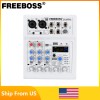
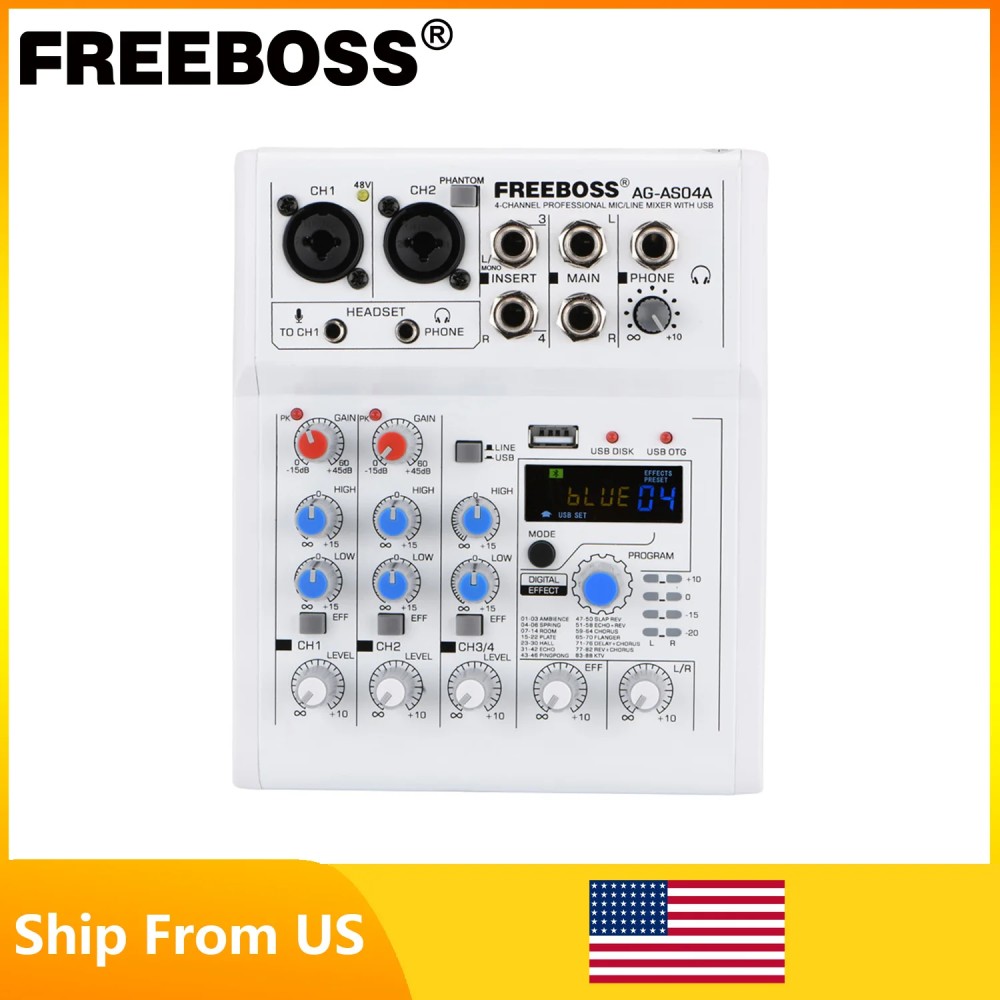
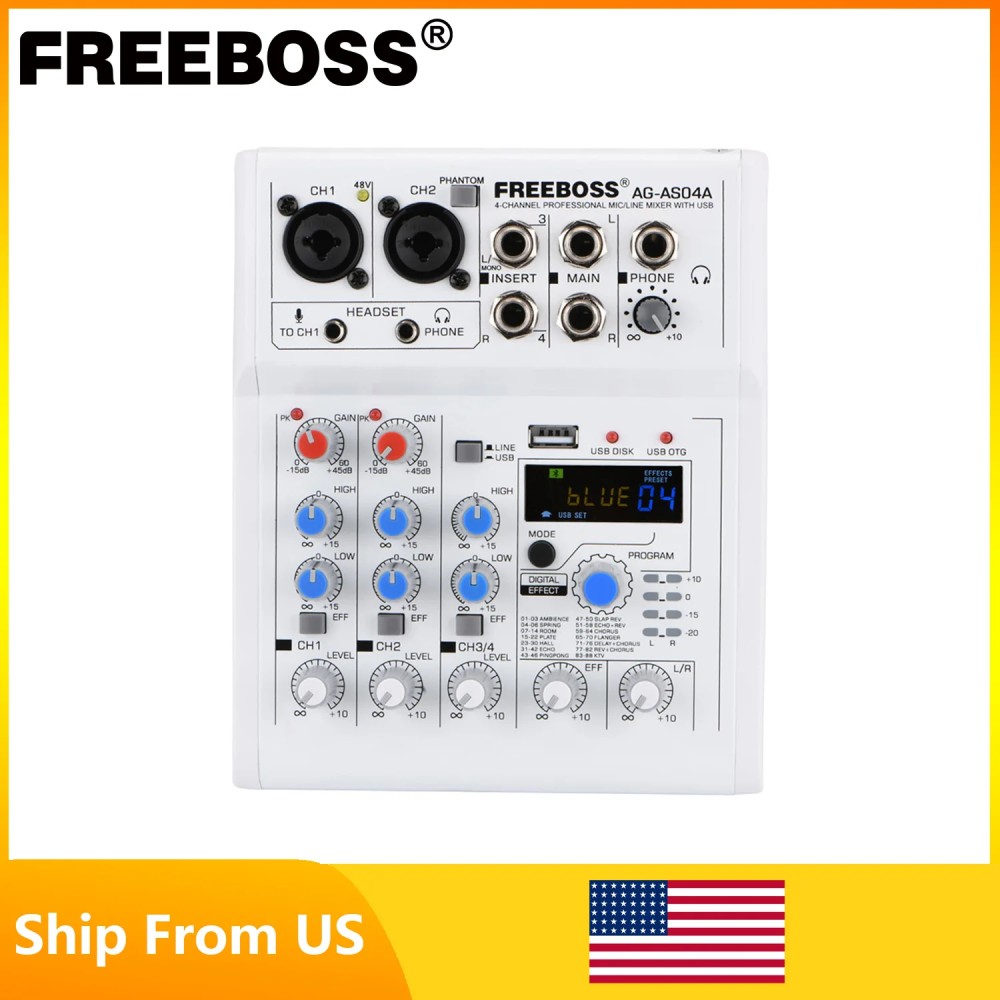
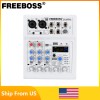
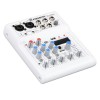
      FREEBOSS Mixing Console Mobile Broadcast 4 Channel Bluetooth PC USB Play Record 88 DSP Digital Effect Sound Audio Mixer AG-AS04A

      • Home
      • Portable equipment
        • Collectible Scale Models
        • Die cast models
        • Electronics
        • Appliances
        • Gaming and accessories
        • Personal transport
        • Gadget accessories
        • Fitness and health
        • Clothes and shoes
        • Backpacks and bags
        • Childrens products
        • Goods for pets
        • Smart House
        • For home and garden
      • Portable acoustics
        • Virtual reality glasses
        • Portable acoustics
        • Tablets
        • Smart speakers
        • Quadcopters
        • Digital players
        • Voice recorders
        • Radio
        • Heart rate monitors and pedometers
      • FREEBOSS Mixing Console Mobile Broadcast 4 Channel Bluetooth PC USB Play Record 88 DSP Digital Effect Sound Audio Mixer AG-AS04A
      FREEBOSS Mixing Console Mobile Broadcast 4 Channel Bluetooth PC USB Play Record 88 DSP Digital Effect Sound Audio Mixer AG-AS04A
      FREEBOSS Mixing Console Mobile Broadcast 4 Channel Bluetooth PC USB Play Record 88 DSP Digital Effect Sound Audio Mixer AG-AS04A $63.99
      FREEBOSS Mixing Console Mobile Broadcast 4 Channel Bluetooth PC USB Play Record 88 DSP Digital Effect Sound Audio Mixer AG-AS04A
      FREEBOSS Mixing Console Mobile Broadcast 4 Channel Bluetooth PC USB Play Record 88 DSP Digital Effect Sound Audio Mixer AG-AS04A
      FREEBOSS Mixing Console Mobile Broadcast 4 Channel Bluetooth PC USB Play Record 88 DSP Digital Effect Sound Audio Mixer AG-AS04A
      FREEBOSS Mixing Console Mobile Broadcast 4 Channel Bluetooth PC USB Play Record 88 DSP Digital Effect Sound Audio Mixer AG-AS04A
      FREEBOSS Mixing Console Mobile Broadcast 4 Channel Bluetooth PC USB Play Record 88 DSP Digital Effect Sound Audio Mixer AG-AS04A
      FREEBOSS Mixing Console Mobile Broadcast 4 Channel Bluetooth PC USB Play Record 88 DSP Digital Effect Sound Audio Mixer AG-AS04A
      FREEBOSS Mixing Console Mobile Broadcast 4 Channel Bluetooth PC USB Play Record 88 DSP Digital Effect Sound Audio Mixer AG-AS04A
      FREEBOSS Mixing Console Mobile Broadcast 4 Channel Bluetooth PC USB Play Record 88 DSP Digital Effect Sound Audio Mixer AG-AS04A
      Popular Not available
      FREEBOSS Mixing Console Mobile Broadcast 4 Channel Bluetooth PC USB Play Record 88 DSP Digital Effect Sound Audio Mixer AG-AS04A
      FREEBOSS Mixing Console Mobile Broadcast 4 Channel Bluetooth PC USB Play Record 88 DSP Digital Effect Sound Audio Mixer AG-AS04A
      FREEBOSS Mixing Console Mobile Broadcast 4 Channel Bluetooth PC USB Play Record 88 DSP Digital Effect Sound Audio Mixer AG-AS04A
      FREEBOSS Mixing Console Mobile Broadcast 4 Channel Bluetooth PC USB Play Record 88 DSP Digital Effect Sound Audio Mixer AG-AS04A
      FREEBOSS Mixing Console Mobile Broadcast 4 Channel Bluetooth PC USB Play Record 88 DSP Digital Effect Sound Audio Mixer AG-AS04A
      FREEBOSS Mixing Console Mobile Broadcast 4 Channel Bluetooth PC USB Play Record 88 DSP Digital Effect Sound Audio Mixer AG-AS04A
      FREEBOSS Mixing Console Mobile Broadcast 4 Channel Bluetooth PC USB Play Record 88 DSP Digital Effect Sound Audio Mixer AG-AS04A

      10-15 Days


      Product code: FREEBOSS Mixing Console Mobile Broadcast 4 Channel Bluetooth PC

      $63.99

      Quick order
      Found cheaper?
      Size table
      Size table
      Small747576
      Medium868788
      Large
      949596
      Share
      Share
      Found cheaper?

      If a competitor’s price is lower, we’ll make a discount! Promo code will be sent to your phone or e-mail.

      Description


      AG-AS04A

      FREEBOSS 4 Channel DC 5V Bluetooth Mobile Computer USB Play and Record 88 DSP Effects Echo Reverb Personal Audio Mixer
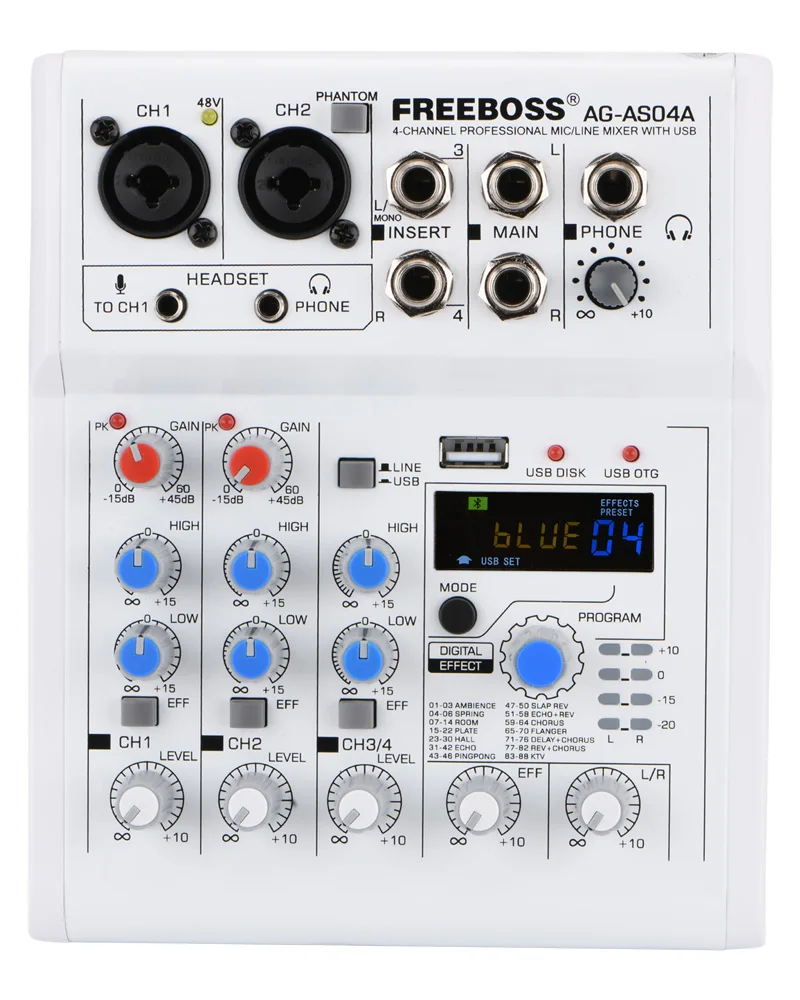


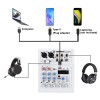
      1. 4 Channel mixing console
      2. 88 Effects
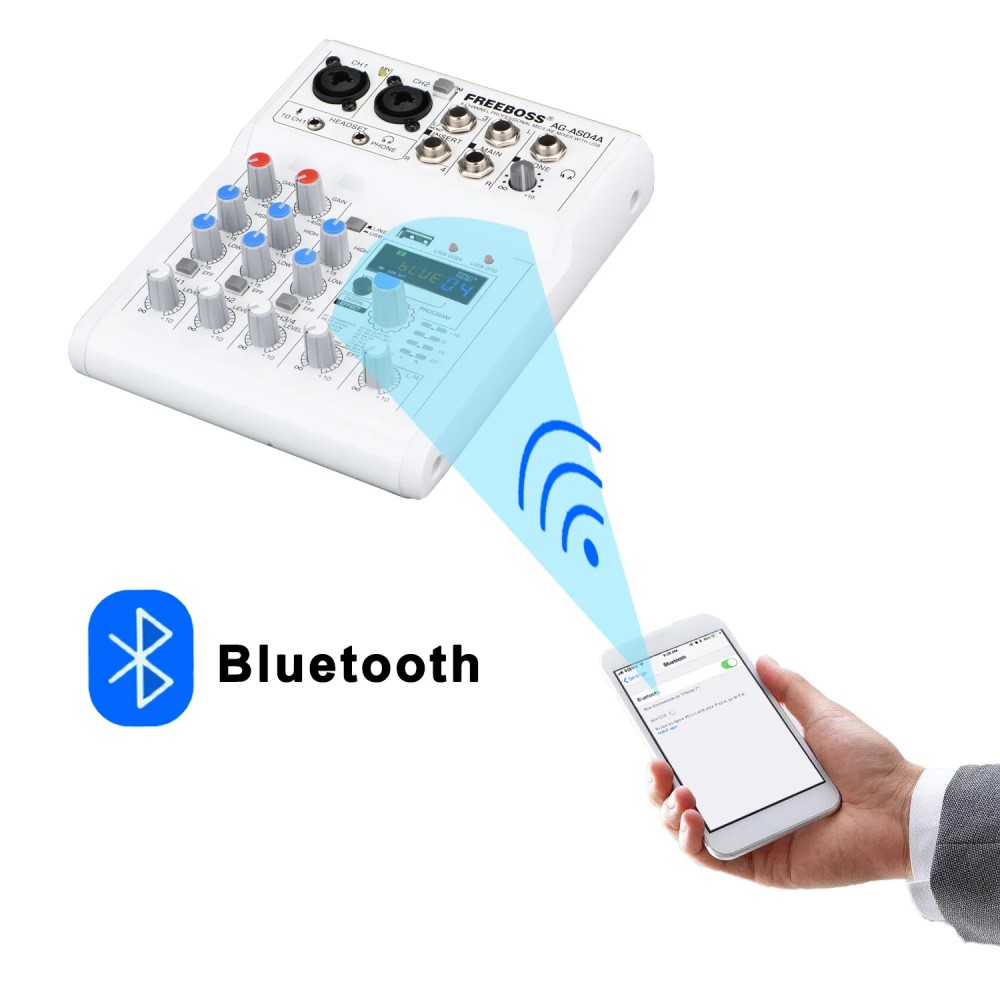
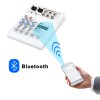
      3. Bluetooth function
      4. USB record, play
      5. Connect to Mobile, Computer

      Mobile Live Broadcast

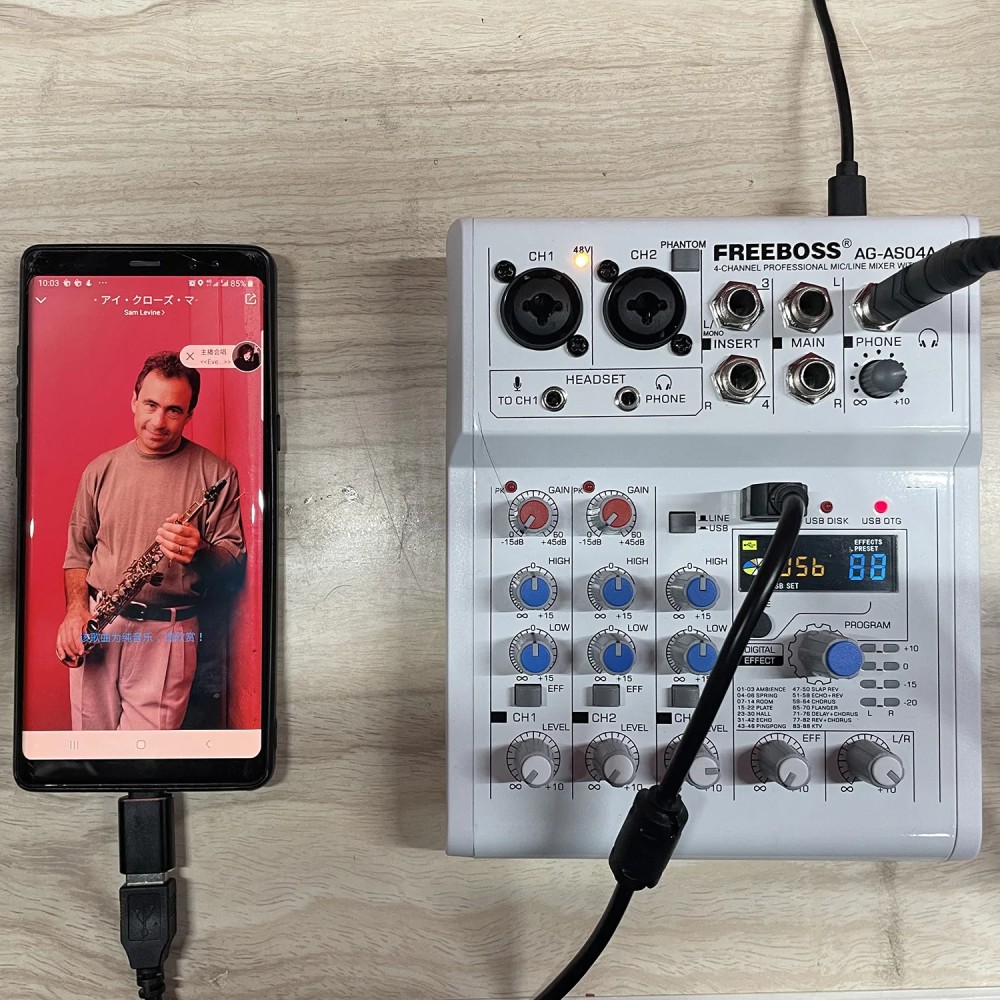
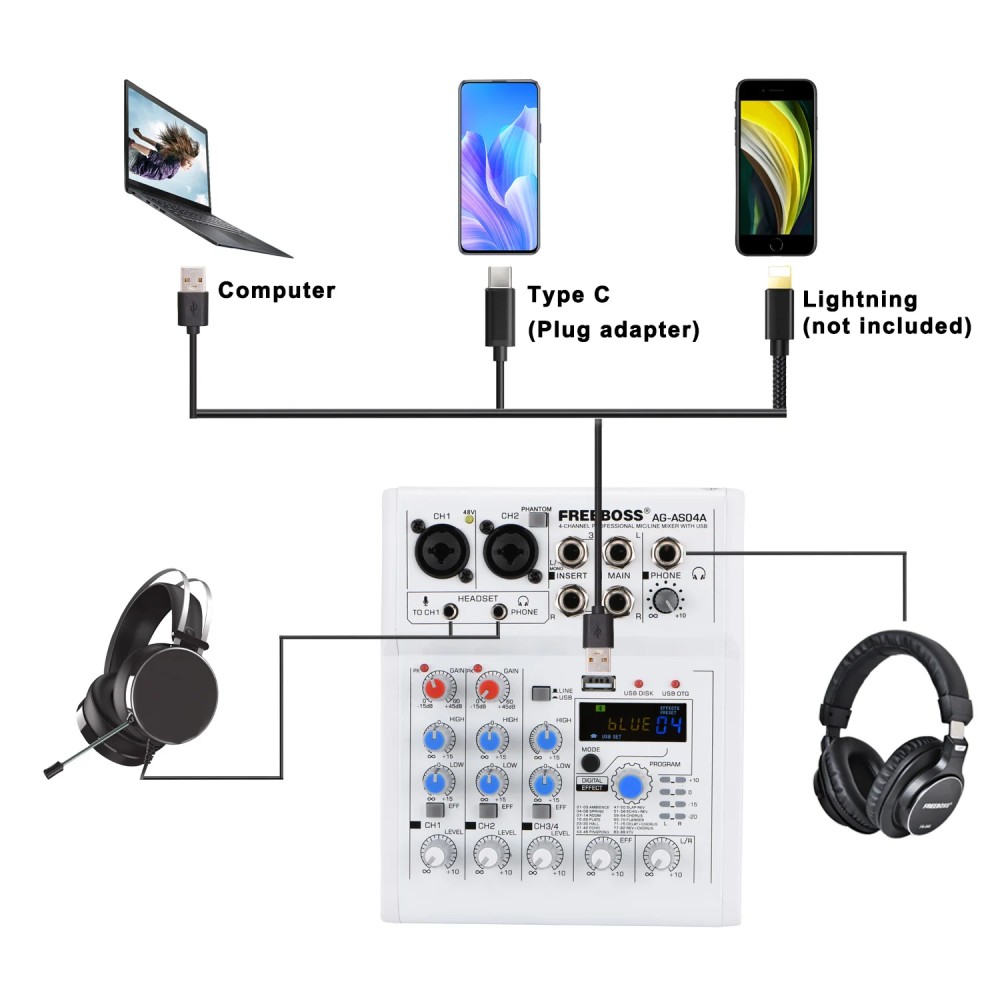
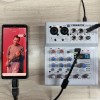
      1. In the package, there is one piece USB cable , and a Type-C adapter.

      2. You can connect your mobile to Mixer via the USB interface of the mixer

      3. Mixer can receive the signal from Mobile, and Mobile can receive the signal from Mixer.

      1. You can connect your computer to Mixer via the USB interface of the mixer

      2. Mixer can receive the signal from computer, and computer can receive the signal from Mixer.

      PC play: you can play music from PC to mixer.--You need a pc music play software

      PC record: You can record the sound from mixer--you need a pc record software.


      Tips:

      (1)Front panel USB connect to PC, please turn the switch to USB power

      (2)Back panel USB connect to PC, please turn the switch to the PC

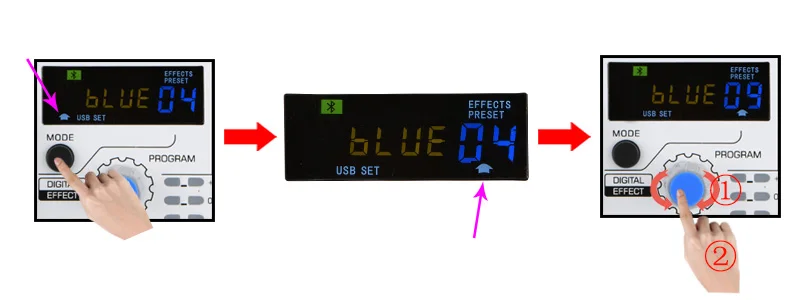
      Press "MODE" button, the white arrow will move to the left/middel/right position.
      Left: Function switch
      Middle: Player operation
      Right: Effect switch


      How to choose function

      Step 1.
      Press "MODE" to move the white arrow at the left position.
      Step 2.
      1) Rotate "Program" knob to choose the function
      2) Press "Program" knob to confirm.


      Note:
      ①. USB Play
      ②. Bluetooth
      ③. USB Record
      ④. Player play mode: Loop Cycle
      ⑤. Player play mode: Random
      ⑥. Player play mode: Single Cycle



      88 Effects


      Effect setting

      Step1.
      Press "MODE" to move the white arrow at the right position.
      Step2.
      1). Rotate "Program" knob to choose the effect.
      2). Press "Program" knob to confirm.

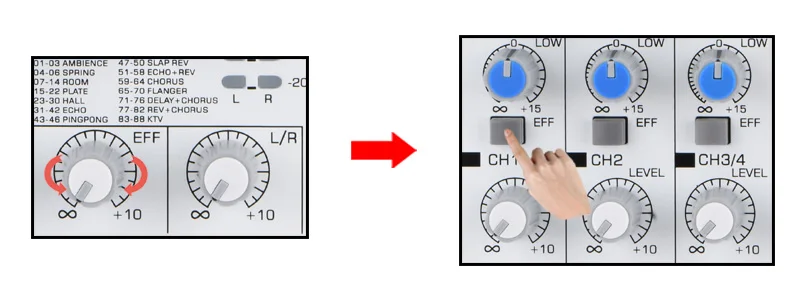
      Effect input:

      Step 1.
      Rotate "EFF" knob to adjust the Effect level.
      Step 2.
      Press "EFF" button to input the effects to channels.


      Receive the signal from other Bluetooth transmitters.


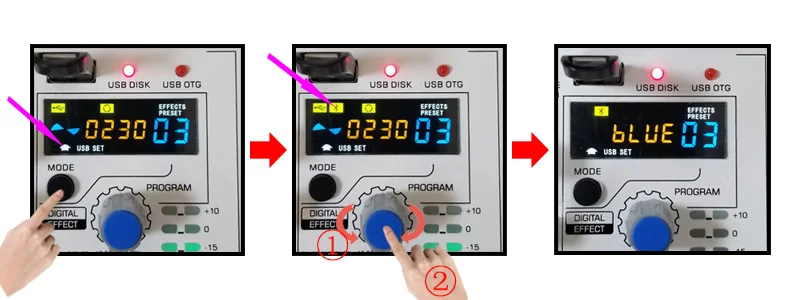
      Choose Bluetooth Mode:

      Step 1.
      Press "MODE" to move the white arrow at the left position.

      Step 2.
      1) Rotate "Program" knob to choose the function
      2) Press "Program" knob to confirm.


      Connect Mobile to Mixer:

      Step 1.
      Turn on your mobile Bluetooth function, and search for the mixer.
      Step 2.
      Pair the Mobile and Mixer
      Step 3.
      Turn on your mobile music program to play music, mixer will receive the signal.


      How to play Pre or Next song, or Pause?

      Step 1:
      Press "MODE" to move the white arrow at the middle position.
      Step 2:
      1) Pre/Next: Rotate "Program" to play Pre/Next song.
      2) Pause: Press "Program" to pause


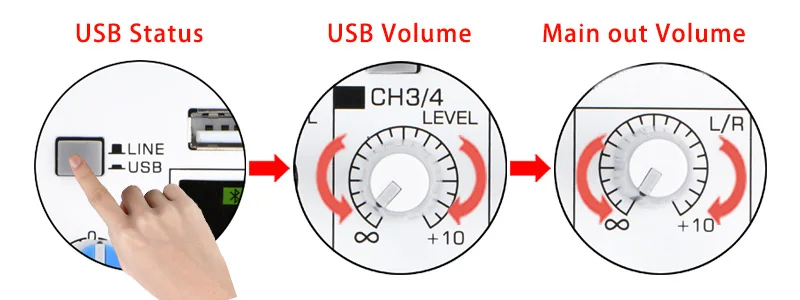
      Bluetooth volume adjust:

      Step 1:
      Press Line/USB button to "USB" status
      Step 2:
      Rotate Channel 3/4 volume Knob to adjust Channel output volume.
      Step 3:
      Rotate Main output knob to adjust the Main output volume.


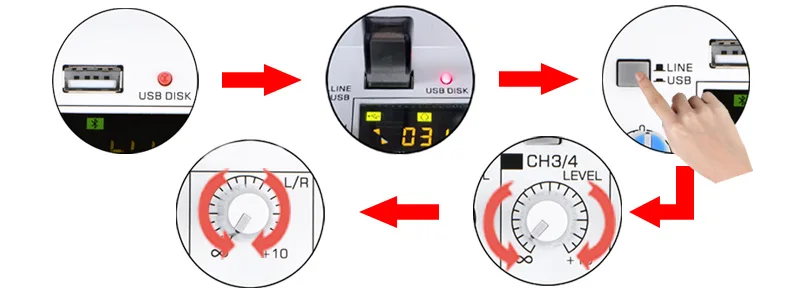
      USB play:

      Step 1.
      1. Insert USB stick, USB disk light will be on.
      2. Mixer will play music automatically.
      Step 2:
      Press Line/USB button to "USB" status
      Step 3:
      Rotate Channel 3/4 volume Knob to adjust Channel output volume.
      Step 4:
      Rotate Main output knob to adjust the Main output volume.

      Note:
      1. USB Stick: fat32
      2. Music mode: MP3, WAV, WMA, FLAC.


      How to play Pre or Next song, or Pause?

      Step 1:
      Press "MODE" to move the white arrow at the middle position.
      Step 2:
      1) Pre/Next: Rotate "Program" to play Pre/Next song.
      2) Pause: Press "Program" to pause


      Enter Recording Mode:

      Step 1.
      Press "MODE" to move the white arrow at the left position.
      Step 2.
      1) Rotate "Program" knob to choose the function
      2) Press "Program" knob to confirm.
      Step 3.
      Press "MODE" to move the white arrow at the middle position.


      Record:

      Step 1.
      Press "Program" knob to begin to record.
      Step 2.
      Short Press: Record pause, press again, continue to record.
      Long Press: End the record.
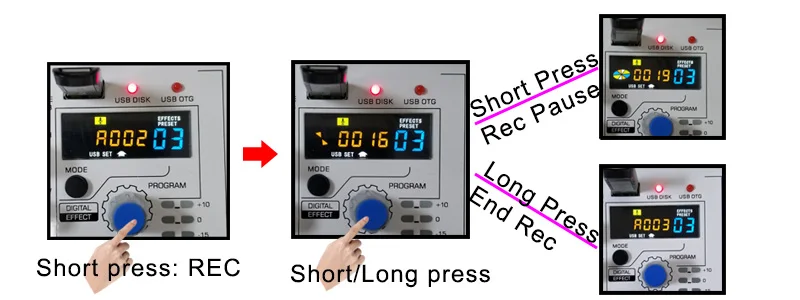


      Play Record:

      Method 1: Long press "MODE"
      Method 2: Long press "Program"


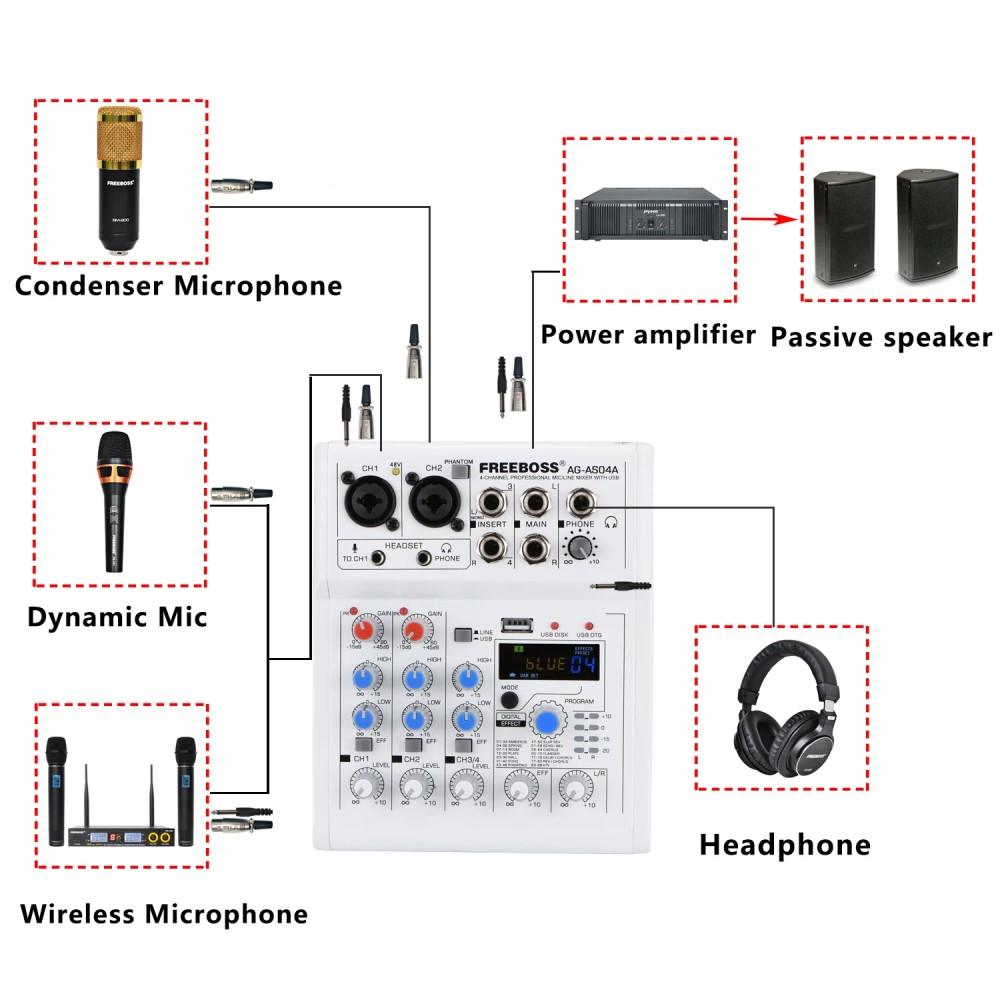
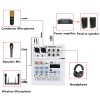
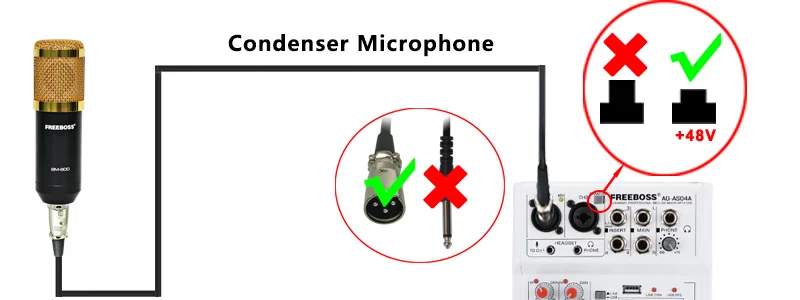
      1. Press "Phantom" button, 48V led light will be on.
      2. Channel 1 and Channel 2 will have +48V phantom--only for XLR jack.


      Dynamic Microphone

      For dynamic microphone, please do not use +48V phantom power.

      (please use XLR plug, not a line plug, because use the line plug, the sound will be too small.)


      Condenser Microphone

      1.Please sure if your condenser microphone supports +48V phantom power.
      (Note: Some condenser microphone does not support +48V phantom power).

      2. Power on +48V phantom power to supply the power to condenser microphone.


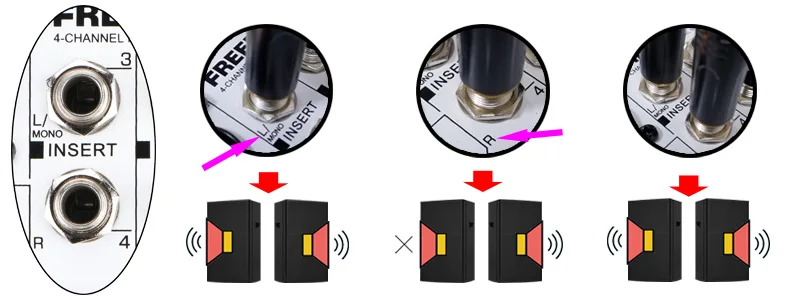
      L/MONO Function

      For connecting to Line-level devices such as an electric keyboard or an audio device. Use the [L/MONO] jack on channel 2 for instruments. Etc. with mono output.

      Signal only input to [L/MONO] jack: Output is stereo.
      Signal only input to [R] jack: Output is only right.
      Signal input to [L/MONO] and [R] jacks: Output is stereo.


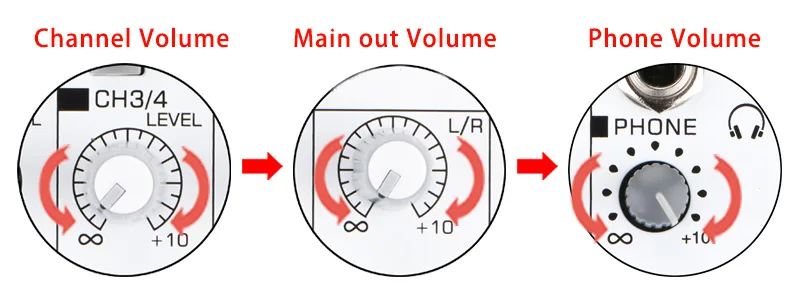
      Phone volume adjust:

      1. Channel volume
      2. Main out volume
      3. Phone volume


      [Headset] microphone and phone (3.5mm)

      It is for headphone with microphone.

      Note:
      when you connect 3.5mm microphone to mixer, the signal will be input in Channel 1. XLR/6.3 jack will be cut off.


      PHONE (6.3)

      You can connect your phone to mixer via 1/4" jack.


      Packing List


      Review 0
      • There are no reviews for this product.
      Write a review
      FAQ 0
      • No questions yet
      Ask a question
      Shipping and payment
      An additional tab for posting any information or html content, for example, you can add delivery, payment or video information.
      You can use individual (for each product) and end-to-end (to a group of products or categories) tabs, pop-ups (for example, a table of sizes) or a video block for product cards.
      Have you watched
      Popular
      Peterbilt 579 Day Cab Truck Tractor Legendary Red 'Transport Series' 1/50 Diecast Model by Diecast Masters In stock Product code: 11102 Peterbilt 579 Day Cab Truck Tractor Legendary Red 'Transport Series' 1/50 Diecast Model by Diecast Masters

      $79.49

      Please select required options
      Quick order
      By clicking on the "Submit Order" button, you give consent to the processing of personal data.
      Support

      Online store "Vitality Nutritions", 2015


